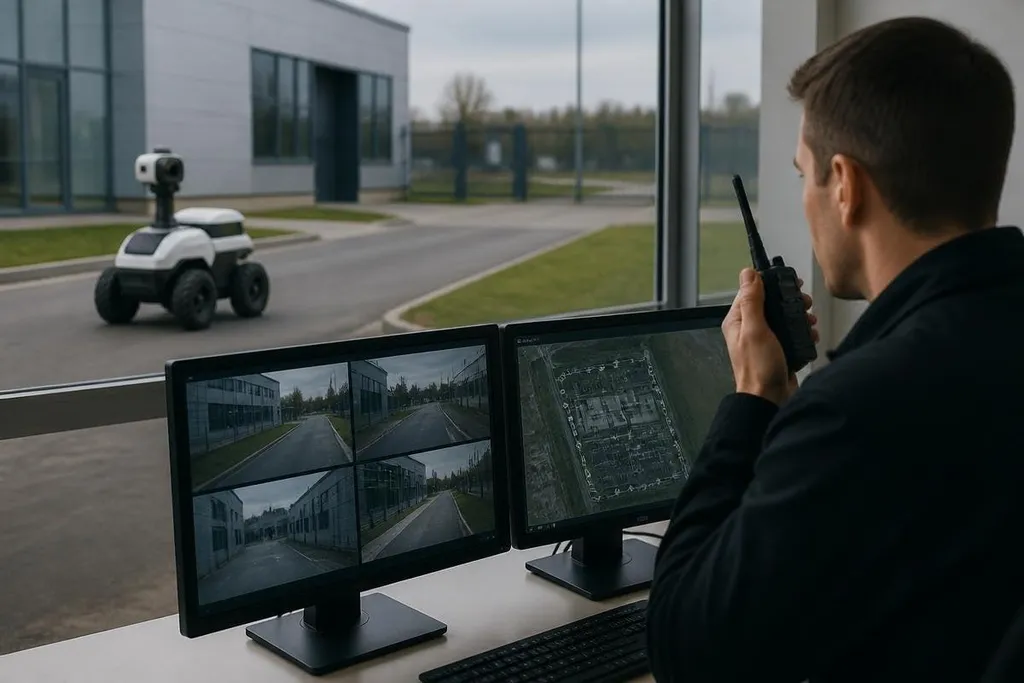
Autonomous security patrol robots can move through a site, check set routes, and send alerts without a person driving every metre. Their useful role is narrower than many product demos suggest: they collect repeatable observations, while people decide what those observations mean.
- Patrol robots reduce routine walking rounds in areas with known routes.
- Cameras, thermal sensors, and other payloads can record conditions for review.
- Human staff still need to handle alarms, access decisions, and unusual events.
What the robot actually does
A patrol robot usually combines wheels or tracks with cameras, location sensors, software for route planning, and a communications link. Some systems also carry thermal cameras, microphones, lights, or sensors for site conditions. The exact mix depends on the site and the job.
The robot follows a map or a set of waypoints. It can stop when a person, vehicle, door, or object blocks its route. Software can compare new images with earlier patrol records and send a warning when something looks different.
That process helps with repeat work. A robot can check the same fence line, loading area, or building corridor on a schedule without asking a guard to repeat the route. It does not mean the robot understands the scene like a trained security officer.
Where patrol robots fit
The best fit is a site with clear boundaries, repeatable routes, and a reason to record conditions over time. Industrial yards, warehouses, campuses, and construction sites may have these traits, though each site still needs a survey before purchase.
A patrol robot can watch for an open gate, a vehicle in a restricted area, a person in a closed zone, or a change in equipment status. It can send the image or alert to an operations center, where a person checks the event and chooses the next step.
That human review matters because an alert is not the same as a security incident. A delivery driver, a maintenance worker, rain on a lens, or a parked object may all look unusual to software.
A false alert can send a guard across a site for no reason, and a missed alert leaves an area unchecked. Reports from Robot 24 can tie each alert to the robot’s route, sensor, time, and human response before you judge its practical limits.
The limits are practical
Outdoor patrol adds problems that a demonstration room may avoid. Uneven ground can affect movement. Rain, glare, dust, darkness, and changing shadows can affect cameras. A route that works during the day may need different rules at night.
Wireless coverage also matters. If the robot cannot send an alert or receive a new instruction, a remote team may have less information when an event occurs. Charging, cleaning, repairs, and recovery after a blocked route become part of the security plan.
Privacy needs a written policy before the first patrol begins. Decide where cameras may point, who can view recordings, how long footage stays available, and how staff can report a concern. Local rules may affect the use of cameras, microphones, and biometric tools.
I’d treat a patrol robot as a sensor on wheels, not a replacement for a security team. That view keeps the purchase tied to a clear task and leaves people responsible for decisions that need context.
A buying checklist
Use this list before you compare products or request a site trial:
- Map the route: Mark doors, ramps, narrow paths, poor lighting, and places where a person may block travel.
- Name the alert: Write down the exact event the system must report, such as an open gate or a person in a restricted area.
- Check the handoff: Confirm who receives alerts, what image or sensor data they get, and how they contact staff on site.
- Plan the service work: Assign responsibility for charging, cleaning sensors, software updates, repairs, and recovery after a stop.
- Set data rules: Record camera locations, access rights, storage time, and the process for deleting footage.
- Define success: Pick a small set of results to review after the trial, such as route completion, useful alerts, and false alarms.
A site trial should test the route during the hours and weather conditions that matter. Ask the supplier to show what happens when the robot loses its connection, meets an obstacle, detects a person, or reaches a low battery.
The open question is not whether a robot can patrol a route. It is whether the alerts arrive with enough context for your team to act, at a cost the site can support.